
saas · indie · dev-tools
Nick Launches: requirements, how to submit, and what you actually get
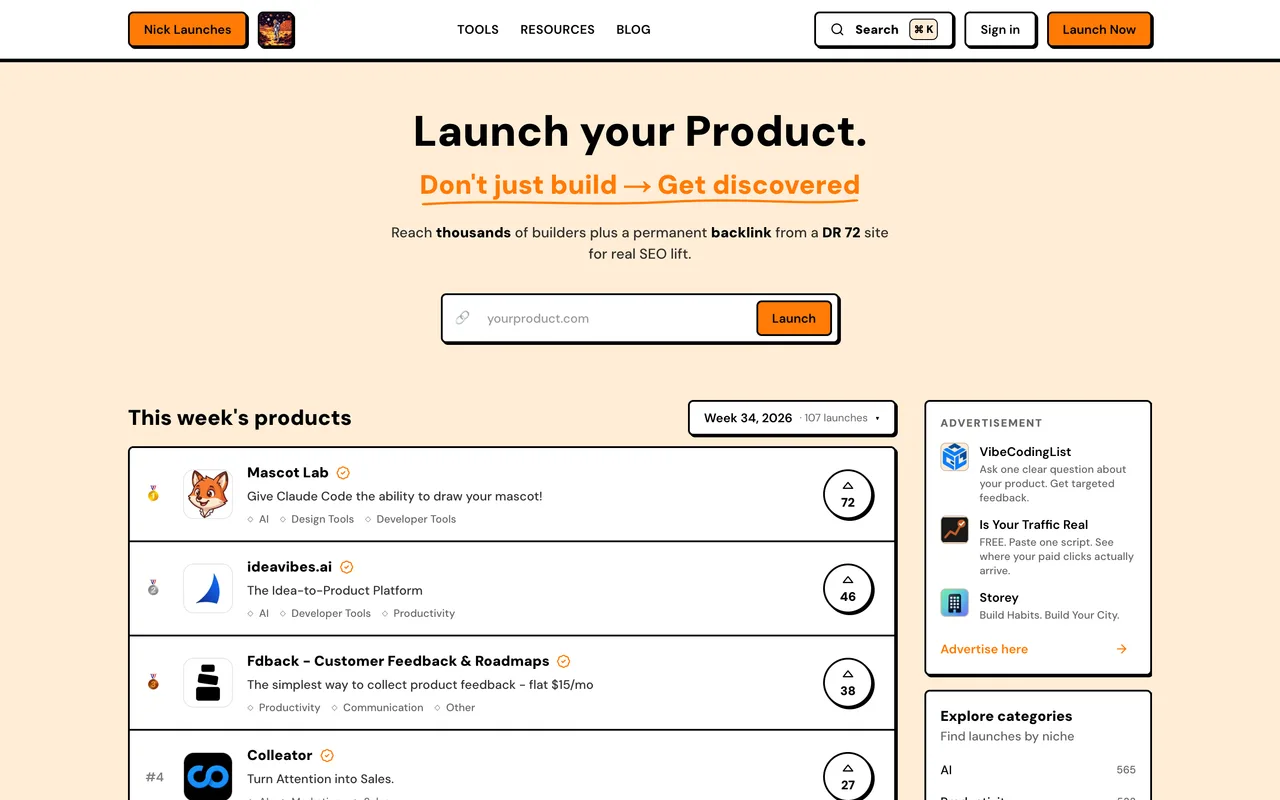
A weekly launch board running about 107 launches a week that ships its own MCP server, so an agent can draft the listing and a human still has to publish it.
nicklaunches.com
Eligibility
Who Nick Launches accepts
You need
An account: Google sign-in, or email and password
A live product URL
A square logo and at least one 16:9 screenshot
For the free launch: their badge on your homepage and three community voting rounds
You'll be rejected if
Nothing structural is published; an admin reviews every listing before it goes live
SaaS productsAI toolsDeveloper toolsIndie productsMarketing toolsProductivity tools
What you actually get
A product page and a place on a weekly leaderboard that was running 107 launches in week 34 of 2026, with a medal for the top three. Their pitch is a permanent followed link from a DR 72 site, and their footer is a long wall of other directories they are themselves listed on, which tells you the shape of the network this sits in.
How to submit to Nick Launches
- Sign inGoogle, or email and password. The form and the plan step both need a session.
- Fill the listingName, tagline, description, website URL, up to three categories, a logo and up to five screenshots. Use cases, alternatives, pricing details, FAQ, a target keyword and a first comment are optional. Submit launch saves it as a draft.
- Pick a plan/submit/plan/ shows the tiers. Free asks for three pick-a-winner voting rounds, each two live launches side by side, and their badge on your site with a verify button.
- Pick a launch weekA week picker opens after Submit launch. On free, the next four weeks were full when we went through, so the first open week was more than three weeks out.
- Wait for the reviewThe product reads In review on My Products until an admin publishes it on the Monday of the chosen week.
Nick Launches requirements
An account (Google, or email and password)
A live product URL
Product name
40 characters
Tagline
60 characters
Description
up to 3,000 characters
Categories
up to 3
Logo
square, 512x512+, PNG/JPG/WebP/GIF, 2MB
Screenshots
1 to 5, 16:9, 1920x1080+, 10MB each
Pricing detailsoptional
400 characters
First commentoptional
200 characters
Their badge on your homepage (free launch)
Gotchas
The free badge check reads the URL you submitted, not your homepage. Submit a subpage and keep the badge only on the root, and verify answers No badge found; the way past is I've installed it, continue anyway, which leaves it to a manual check during review.
Free launches queue by the week, and the weeks fill. On 2 October the next four were all full, so a free launch landed on 26 October; the paid tiers publish immediately.
Anything that is not 16:9 is cropped from the centre, and the first screenshot doubles as the listing's social image, so a square or phone-shaped shot loses most of itself.
Let your agent submit to Nick Launches
Connect SubmitMap to your AI over MCP and this page stops being something you read and copy. Your agent asks for the Nick Launches playbook and gets the brief for this exact form, with the values already taken from your submission pack instead of placeholders you fill in by hand.
What it does for this platform
Checks your product against the 5 Nick Launches rules above, so you find out you would be rejected before you open a tab.
Hands your agent all 11 fields this form asks for, 2 of them optional, already filled from your pack.
Warns you that Nick Launches looks for its badge on your site, so it has to be live before you submit rather than after.
Tells you what paying buys here, so you pick it on purpose: free, Starter $19 for 7 days featured, Pro $39 for 14, Premium $99 for 14 plus a post on their X account, and Ultimate $199 for 30 with an editorial review. Every paid tier publishes instantly; free waits for an open week. Optional manual directory-submission add-ons sit on the same screen at $99, $149 and $199.
Types it into Nick Launches in your own browser, and stops for you when the form wants a sign-in.
Records what it sent, so the dashboard can answer "did I ever submit to Nick Launches?".
Connect your agentHow this worksTools and endpointsWorks with Claude Code, Claude, Codex, Cursor, VS Code and Hermes.
Nick Launches FAQ
How long does Nick Launches approval take?
Nick Launches's typical time from submission to going live is 2-4 weeks.
How much does it cost to submit to Nick Launches?
Nick Launches has a free submission option plus paid placement (Free, Starter $19 for 7 days featured, Pro $39 for 14, Premium $99 for 14 plus a post on their X account, and Ultimate $199 for 30 with an editorial review. Every paid tier publishes instantly; free waits for an open week. Optional manual directory-submission add-ons sit on the same screen at $99, $149 and $199.).
Does Nick Launches give a dofollow backlink?
Yes, a listing on Nick Launches carries a dofollow link. The site has a domain rating of 72.
Does Nick Launches require a backlink to your site?
Yes, Nick Launches expects a link back from your site as part of listing.
What gets you rejected from Nick Launches?
Nothing structural is published; an admin reviews every listing before it goes live.