directory · saas · web
SaaS Badge: requirements, how to submit, and what you actually get
Sister of App Networker and SaaS Avenue: free for a badge to your listing URL, then a review for quality, clarity and fit
saasbadge.com
Eligibility
Who SaaS Badge accepts
You need
A live URL
A Google account
A screenshot under 10MB
A square icon under 5MB
Their badge on your site, linking to your listing URL
You'll be rejected if
Nothing published about who is refused beyond a review for quality, clarity and fit.
SaaS toolsWeb appsDigital productsAI toolsDeveloper tools
What you actually get
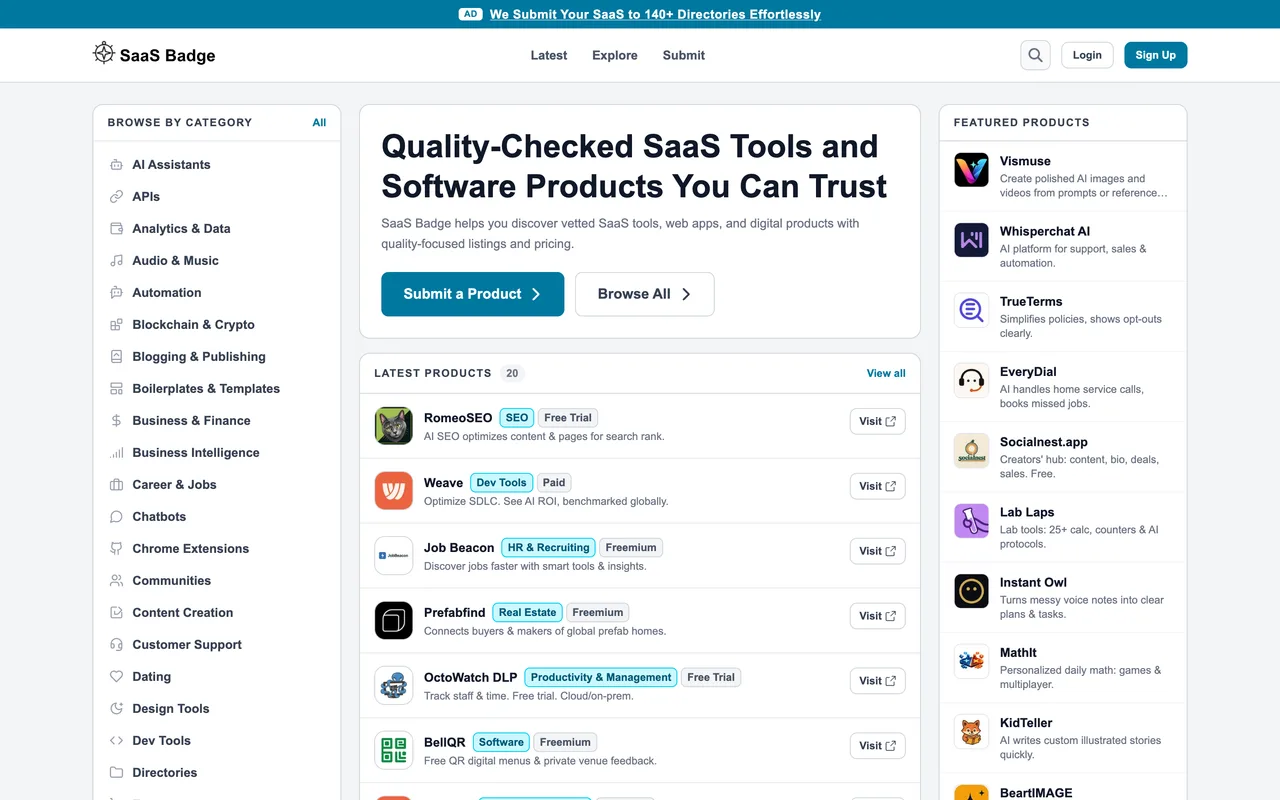
A product page at /products/<your-domain-slug> in one of the operator's sixteen sister directories (App Hub List, SaaS Avenue, SaaS Badge, App Networker and the rest share the form and the success page), with a Visit link carrying rel="noopener noreferrer" and no nofollow on the pages read. The success page says the product is in review for quality, clarity and fit; no time is given.
How to submit to SaaS Badge
- Log in with GoogleThe only sign-in on /submit.
- WebsiteEnter the product homepage and press Generate Badge. The badge (light or dark PNG at 54px) must link to the listing URL they build from your domain.
- BadgePut the badge on your homepage or footer, enter the page URL under Website URL to Check, and press Verify Badge. A pass opens the details step.
- DetailsSite name, screenshot, icon, up to four categories, a pricing model, a short description of 150 characters, an About of 1,500, the terms box, then Submit for Review. The success page says the product is in review.
SaaS Badge requirements
Website URL
Their badge
linking to your listing URL, 54px high
Site name
Screenshot
PNG or JPG, under 10MB
Icon
square, PNG or JPG, under 5MB
Categories
up to 4
Short description
150 characters
About
1,500 characters
Gotchas
The badge must link to the exact listing URL the site builds from your domain, not to the homepage: a generic badge to the front page fails the check and the details form never opens.
The site is one of sixteen sister directories on one codebase, so the same walk applies to all of them and the banner on every page sells the operator's paid submission service, which is not this listing.
Nothing says how long the review takes; the success page only says the product is in review.
Let your agent submit to SaaS Badge
Connect SubmitMap to your AI over MCP and this page stops being something you read and copy. Your agent asks for the SaaS Badge playbook and gets the brief for this exact form, with the values already taken from your submission pack instead of placeholders you fill in by hand.
What it does for this platform
Checks your product against the 6 SaaS Badge rules above, so you find out you would be rejected before you open a tab.
Hands your agent all 8 fields this form asks for, none of them optional, already filled from your pack.
Warns you that SaaS Badge looks for its badge on your site, so it has to be live before you submit rather than after.
Types it into SaaS Badge in your own browser, and stops for you when the form wants a sign-in.
Records what it sent, so the dashboard can answer "did I ever submit to SaaS Badge?".
Connect your agentHow this worksTools and endpointsWorks with Claude Code, Claude, Codex, Cursor, VS Code and Hermes.
SaaS Badge FAQ
How long does SaaS Badge approval take?
SaaS Badge does not publish how long approval takes.
How much does it cost to submit to SaaS Badge?
Submitting to SaaS Badge is free.
Does SaaS Badge give a dofollow backlink?
Yes, a listing on SaaS Badge carries a dofollow link. The site has a domain rating of 32.
Does SaaS Badge require a backlink to your site?
Yes, SaaS Badge expects a link back from your site as part of listing.
What gets you rejected from SaaS Badge?
Nothing published about who is refused beyond a review for quality, clarity and fit.