
indie · saas · community
Looking For Tools: requirements, how to submit, and what you actually get
The free launch is selected, and Submit Project opens a $9.90 Stripe checkout anyway
lookingfortools.com
Eligibility
Who Looking For Tools accepts
You need
A live URL
A 1:1 logo and a 16:9 product image
A Google, GitHub or email account
Their badge on your site (free launch)
You'll be rejected if
Nothing published about who is refused.
Tech productsSaaSIndie projectsDeveloper toolsAI tools
What you actually get
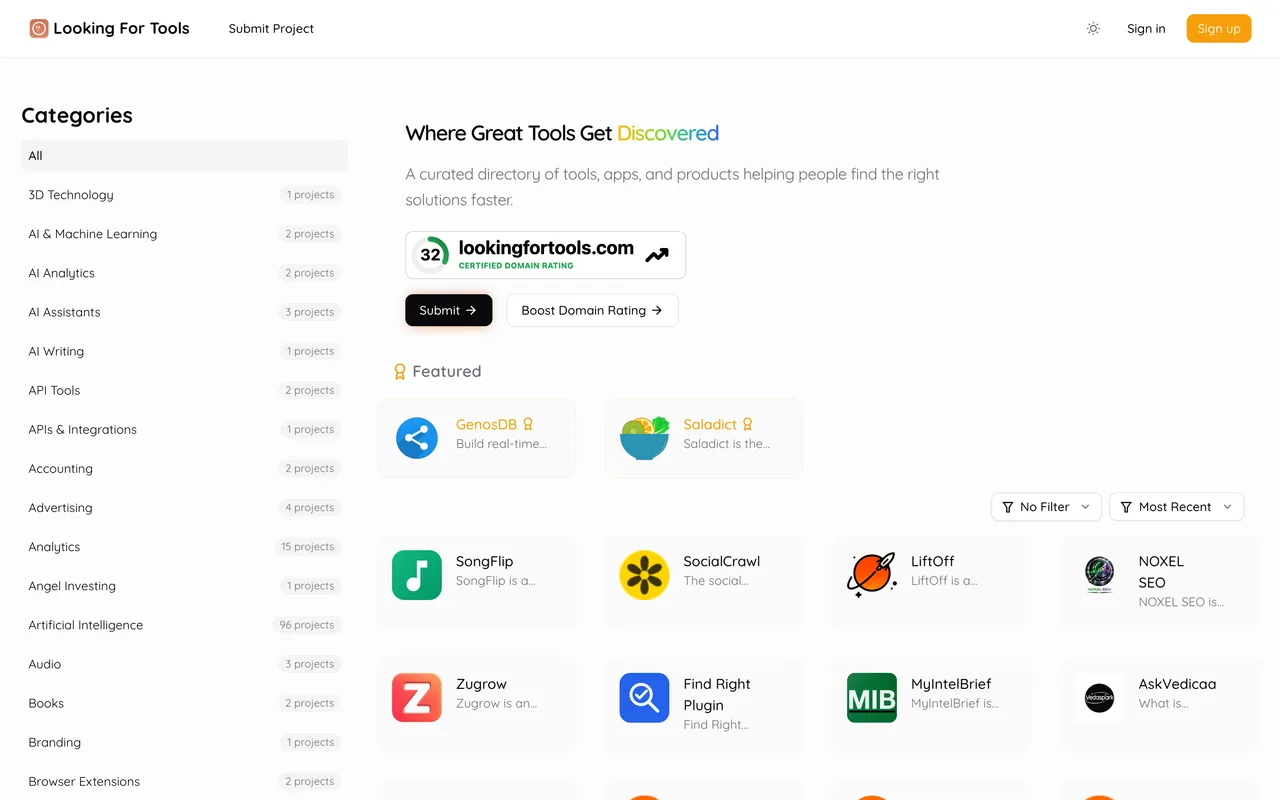
A project page on a DirEasy launch board where products launch daily at 08:00 UTC, with up to three of about 600 categories, a tech stack, platforms and a pricing model. The free lane is sold as a guaranteed dofollow link from a DR 32 domain, but a free submission on this walk ended as a 'Not paid' project in the dashboard with only a Pay Now button, so what you get for free is a parked listing until that is fixed or paid.
How to submit to Looking For Tools
- Sign inGoogle, GitHub or email and password; the Google route landed straight on the form with no consent screen, and the profile already read our maker name.
- Fill one long formName, URL (with AI Autofill), optional affiliate URL, a short description in a rich-text box, logo, product image, up to three categories, up to five tech-stack tags, platforms, pricing model, optional GitHub and Twitter URLs.
- Pick a launch typeFree Launch shows as Selected with the badge requirement written beside it, but no badge snippet and no verify control appear on this build.
- Review and Submit ProjectThe review page warns you will be redirected to the payment page. On this walk that page was a Stripe checkout for Premium Launch at $9.90, and declining it left the project under 'Not paid' with a Pay Now button.
Looking For Tools requirements
Project name
Website URL
Short description
Logo
1:1, about 256x256
Product image
16:9, about 800x450
Categories
up to 3 of about 600
Tech stack
up to 5 tags
Platforms
web, mobile, desktop, extension, API or other
Pricing model
free, freemium or paid
Affiliate, GitHub and Twitter URLsoptional
Their badge
free launch, no verify control found
Gotchas
The free lane did not take the submission: Free Launch read Selected, Submit Project opened a Stripe checkout for Premium Launch at $9.90, and the project sat under 'Not paid' with only a Pay Now button afterwards. The sibling board ShipThing, on a newer build of the same software, verifies the badge inline and did not do this.
There is no badge snippet or verify control on the launch-type step of this build, only the sentence saying the badge is required, so there is nothing to verify before the checkout appears.
Everything sits on one long page with about 600 category toggles in a single column and no search.
Let your agent submit to Looking For Tools
Connect SubmitMap to your AI over MCP and this page stops being something you read and copy. Your agent asks for the Looking For Tools playbook and gets the brief for this exact form, with the values already taken from your submission pack instead of placeholders you fill in by hand.
What it does for this platform
Checks your product against the 5 Looking For Tools rules above, so you find out you would be rejected before you open a tab.
Hands your agent all 11 fields this form asks for, 1 of them optional, already filled from your pack.
Warns you that Looking For Tools looks for its badge on your site, so it has to be live before you submit rather than after.
Tells you what paying buys here, so you pick it on purpose: free Launch is listed at $0 with a review of up to 30 days, a guaranteed dofollow link and their badge required. Premium Launch is $9.90 with priority scheduling and ten slots a day; Premium Plus is $12.90 (shown struck from $25) with a promoted feed spot for 14 days and a featured border forever, three a day. DR Booster is $50 (from $99) for ten backlinks across the operator's network. On this walk the free lane never took the submission: the review step's Submit Project went to a Stripe checkout for Premium Launch.
Types it into Looking For Tools in your own browser, and stops for you when the form wants a sign-in.
Records what it sent, so the dashboard can answer "did I ever submit to Looking For Tools?".
Connect your agentHow this worksTools and endpointsWorks with Claude Code, Claude, Codex, Cursor, VS Code and Hermes.
Looking For Tools FAQ
How long does Looking For Tools approval take?
Looking For Tools's typical time from submission to going live is 2-4 weeks.
How much does it cost to submit to Looking For Tools?
Looking For Tools has a free submission option plus paid placement (Free Launch is listed at $0 with a review of up to 30 days, a guaranteed dofollow link and their badge required. Premium Launch is $9.90 with priority scheduling and ten slots a day; Premium Plus is $12.90 (shown struck from $25) with a promoted feed spot for 14 days and a featured border forever, three a day. DR Booster is $50 (from $99) for ten backlinks across the operator's network. On this walk the free lane never took the submission: the review step's Submit Project went to a Stripe checkout for Premium Launch.).
Does Looking For Tools give a dofollow backlink?
Yes, a listing on Looking For Tools carries a dofollow link. The site has a domain rating of 32.
Does Looking For Tools require a backlink to your site?
Yes, Looking For Tools expects a link back from your site as part of listing.
What gets you rejected from Looking For Tools?
Nothing published about who is refused.