
saas · indie · ai
SaaS Wall: requirements, how to submit, and what you actually get
Free gets you a seven day queue and a nofollow; $9 buys both back
saaswall.co
Eligibility
Who SaaS Wall accepts
You need
An email address you can read, because login is a six digit code
A live URL with a logo, a title and a meta description worth scraping
You'll be rejected if
Nothing is refused on merit. The queue is the gate: a free submission waits seven days and nothing is reviewed on the way in.
SaaS productsStartupsWeb appsPre-launch startups
What you actually get
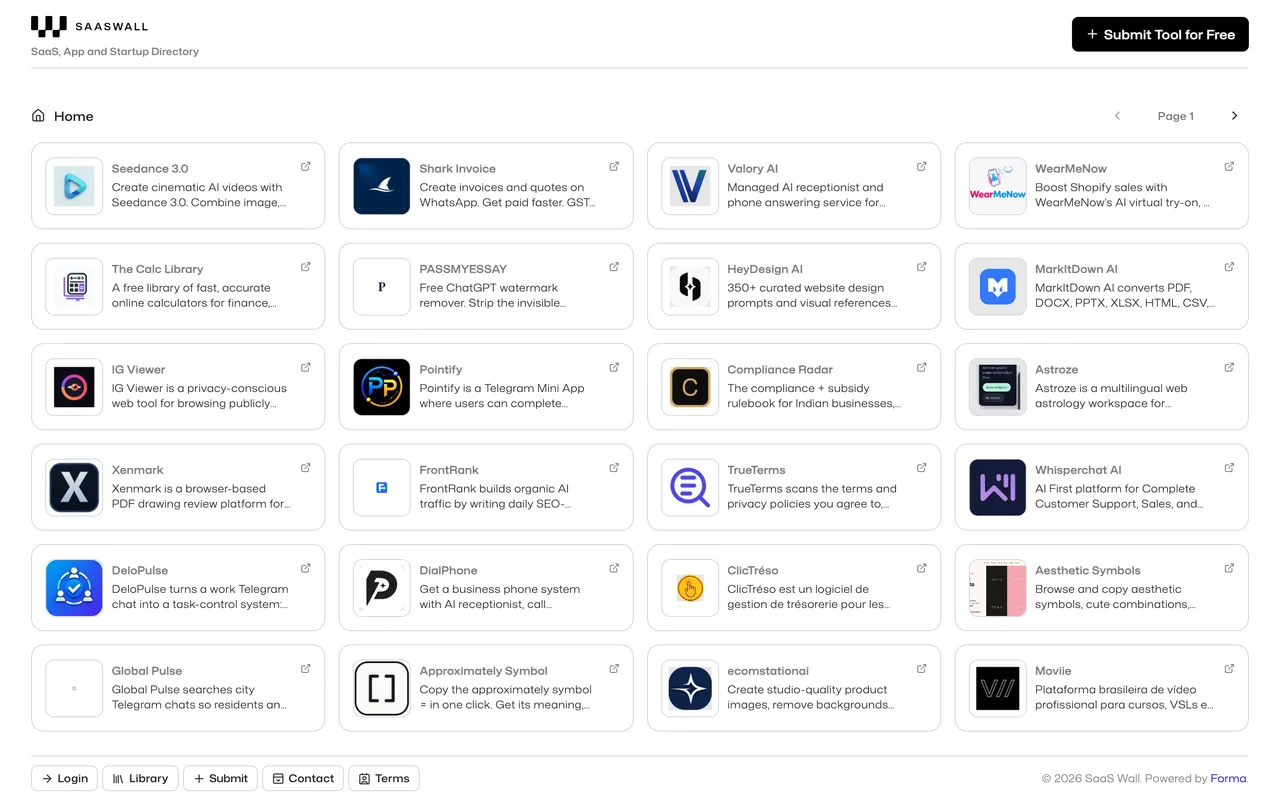
A card on the wall carrying a logo, a screenshot, a name, a description, up to five features, social links and up to three pricing lines, almost all of it scraped from your own page. Their line is that it will be live in seven days, and you are given a numeric id in the URL as the only reference. On the free lane the link is nofollow: their upgrade page sells turning it dofollow as a feature.
How to submit to SaaS Wall
- Log in with a code/login takes an email and mails a six digit code that expires in fifteen minutes. There is no password and no Google button, so you need an inbox you can open.
- Give the URL and nothing elseThe submit form is one field. It fetches your site and extracts the logo, a screenshot, the name, the description and more, which takes about fifteen seconds.
- Correct what it guessedA Review screen shows everything it found, all of it editable, plus empty fields for five features, three social links and three pricing lines.
- Submit and decline the upsellYou land on /upgrade?submitted=true&saas=<id>. That id is your only reference. The offer there is $9, from $79, and you do not have to take it.
SaaS Wall requirements
A live URL
Email
receives a 6 digit code
Name
scraped, then editable
Description
scraped from your meta description
Logo
scraped, or uploaded
Screenshot
captured, or uploaded
Featuresoptional
up to 5
Social linksoptional
X, LinkedIn, Facebook
Pricingoptional
up to 3 lines
Gotchas
The free listing's link is nofollow, and the only place that is said is the upsell you see after submitting, which lists "Upgrade your website link to do follow" as one of three things $9 buys. The homepage title is "Submit your SaaS, Startup or App for Free" and never mentions it.
Free submissions sit in a seven day publishing queue. The same $9 skips it. Nothing about the wait is mentioned until you have already submitted.
The scraper gets the name wrong. It read ours as "Startup", a word lifted from the page rather than the product name, while getting the logo, screenshot and description right. Read the Review screen properly rather than trusting it.
Login is a six digit code mailed to you and there is no password or social sign-in, so this one cannot be done without opening the inbox.
The only record of your submission is the id in the redirect URL, as in /upgrade?submitted=true&saas=2356. Write it down before you close the tab, because nothing else shows it.
Let your agent submit to SaaS Wall
Connect SubmitMap to your AI over MCP and this page stops being something you read and copy. Your agent asks for the SaaS Wall playbook and gets the brief for this exact form, with the values already taken from your submission pack instead of placeholders you fill in by hand.
What it does for this platform
Checks your product against the 3 SaaS Wall rules above, so you find out you would be rejected before you open a tab.
Hands your agent all 9 fields this form asks for, 3 of them optional, already filled from your pack.
Tells you what paying buys here, so you pick it on purpose: submitting is free. The page you land on immediately afterwards offers $9, marked down from $79, to skip the seven day queue and turn the link dofollow, which is also how you learn the free link is not one.
Types it into SaaS Wall in your own browser, and stops for you when the form wants a sign-in.
Records what it sent, so the dashboard can answer "did I ever submit to SaaS Wall?".
Connect your agentHow this worksTools and endpointsWorks with Claude Code, Claude, Codex, Cursor, VS Code and Hermes.
SaaS Wall FAQ
How long does SaaS Wall approval take?
SaaS Wall's typical time from submission to going live is about a week.
How much does it cost to submit to SaaS Wall?
SaaS Wall has a free submission option plus paid placement (Submitting is free. The page you land on immediately afterwards offers $9, marked down from $79, to skip the seven day queue and turn the link dofollow, which is also how you learn the free link is not one.).
Does SaaS Wall give a dofollow backlink?
No, links from SaaS Wall are nofollow. The site has a domain rating of 5.
Does SaaS Wall require a backlink to your site?
No, SaaS Wall does not require a link back from your site.
What gets you rejected from SaaS Wall?
Nothing is refused on merit. The queue is the gate: a free submission waits seven days and nothing is reviewed on the way in.