
saas · dev-tools
CurlShip: requirements, how to submit, and what you actually get
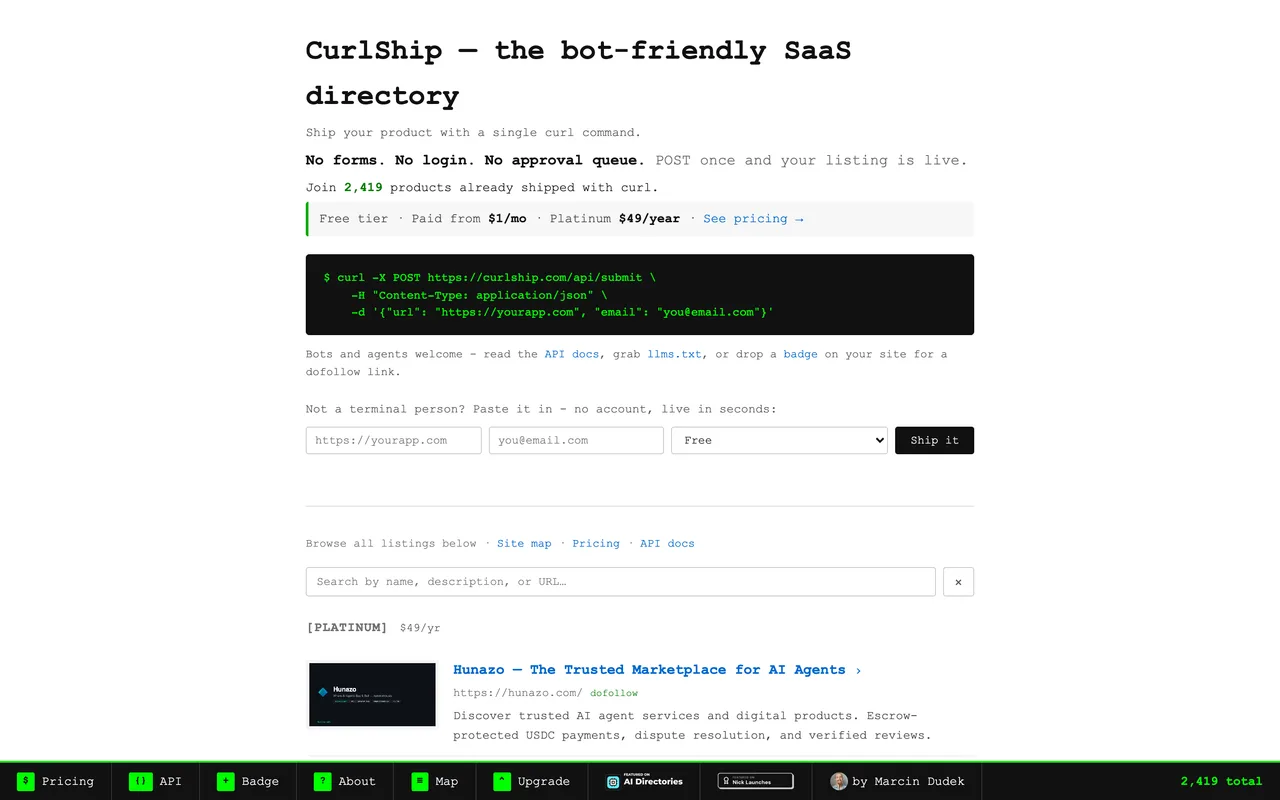
One curl POST and the listing is live: no form, no account, no queue, and an OpenAPI spec instead of a submit button.
curlship.com
Eligibility
Who CurlShip accepts
You need
A live product URL
An email address for the listing record
You'll be rejected if
Nothing published
SaaS productsAI toolsIndie productsWeb apps
What you actually get
A permanent listing among about 2,400 products, live the second the request returns 201, with a JSON body handing you the listing id, page URL and badge snippet. Free links are nofollow until their crawler finds your badge; paid tiers skip that.
How to submit to CurlShip
- POST the listingPOST https://curlship.com/api/submit with {"url", "email"}. It returns 201 with the listing id, its page and the badge HTML. That is the whole submission.
- Let them scrape the metadataTitle, description and image come from your page's own tags, so the listing reads exactly as good as your title and meta description do. Fix those first.
- Add the badge, or payFree listings link back nofollow. Any link to curlship.com on your site flips it to dofollow; Bronze and above are dofollow with no badge.
- Verify on demandPOST /api/verify-badge with your URL to trigger the check immediately instead of waiting for the hourly crawl. It answers with has_badge and dofollow.
CurlShip requirements
A live product URL
An email address
Open Graph title, description and image on your page: they become the listing
A link back to curlship.com anywhere on your site, for the free dofollowoptional
Gotchas
The free listing is nofollow. A link back to curlship.com anywhere on your site flips it to dofollow, which makes this a badge-for-link trade like any other, just an honest one about it.
Your listing copy is scraped from your page's own title and meta description, and there is no field to override them. A bad title ships as your listing.
Changing the listed URL later needs a real ownership proof: an emailed confirmation, or a token published on both the old and the new domain. Publishing it on the new one alone is explicitly not enough.
Let your agent submit to CurlShip
Connect SubmitMap to your AI over MCP and this page stops being something you read and copy. Your agent asks for the CurlShip playbook and gets the brief for this exact form, with the values already taken from your submission pack instead of placeholders you fill in by hand.
What it does for this platform
Checks your product against the 3 CurlShip rules above, so you find out you would be rejected before you open a tab.
Hands your agent all 4 fields this form asks for, 1 of them optional, already filled from your pack.
Warns you that CurlShip looks for its badge on your site, so it has to be live before you submit rather than after.
Tells you what paying buys here, so you pick it on purpose: free is nofollow until you add the badge; $1 to $3 a month, $49 a year or $49 once are dofollow without one.
Types it into CurlShip in your own browser, and stops for you when the form wants a sign-in.
Records what it sent, so the dashboard can answer "did I ever submit to CurlShip?".
Connect your agentHow this worksTools and endpointsWorks with Claude Code, Claude, Codex, Cursor, VS Code and Hermes.
CurlShip FAQ
How long does CurlShip approval take?
CurlShip's typical time from submission to going live is instant.
How much does it cost to submit to CurlShip?
CurlShip has a free submission option plus paid placement (Free is nofollow until you add the badge; $1 to $3 a month, $49 a year or $49 once are dofollow without one).
Does CurlShip give a dofollow backlink?
Yes, a listing on CurlShip carries a dofollow link. The site has a domain rating of 25.
Does CurlShip require a backlink to your site?
Yes, CurlShip expects a link back from your site as part of listing.
What gets you rejected from CurlShip?
Nothing published.