
design · no-code
HyperFramer: requirements, how to submit, and what you actually get
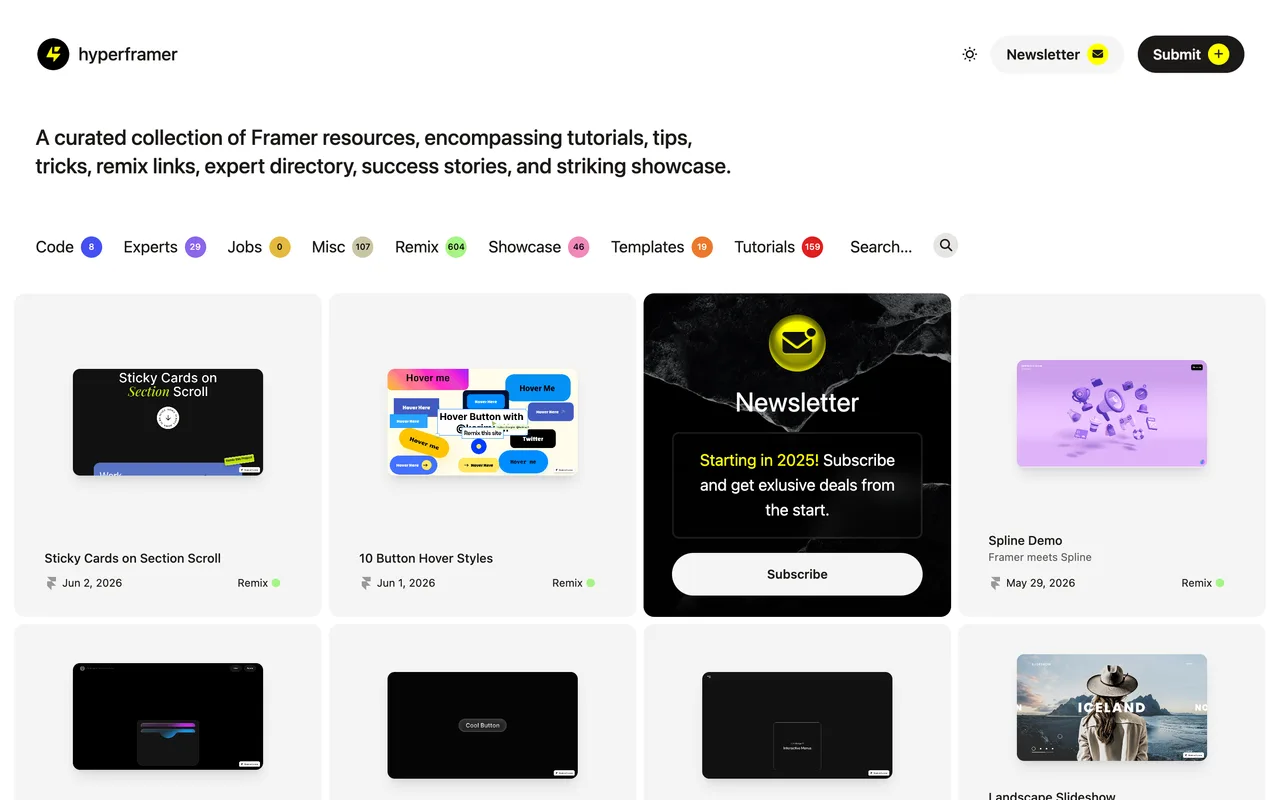
A 970-item Framer resource collection where you submit by email and the listing link comes back nofollow.
hyperframer.com
Eligibility
Who HyperFramer accepts
You need
Something built with or for Framer
A public URL to the resource
You'll be rejected if
Anything with no Framer connection
Framer resourcesFramer templates
What you actually get
A page on hyperframer.com for your remix, template, tutorial or showcase piece, filed into one of their eight sections. The link out to it is nofollow, so the value is being found by Framer designers browsing a curated set rather than link equity.
How to submit to HyperFramer
- Find the Submit linkSubmit sits in the header next to Newsletter, and it is a mailto: to hey@hyperframer.com rather than a form. There is no account and nothing to fill in on the site.
- Write the submission as an emailNothing states what to include, so send the resource URL, which of their sections it belongs in, and a line on what it does. Their sections are Code, Experts, Jobs, Misc, Remix, Showcase, Templates and Tutorials.
- Wait without a stated timeNo review time is published anywhere on the site, and there is no confirmation, reference or account to check against.
HyperFramer requirements
A Framer resource with a public URL
One of their eight sections
An email client, since submission is a plain message
Gotchas
The Remix It button on a live listing, which is the link a submission actually earns, carries rel="nofollow". The only followed links on the site are the owner's own affiliate link to Framer and their personal sites.
There is no submission form at all: Submit is a mailto:, so nothing tells you what to include and no confirmation, reference or account exists afterwards.
Let your agent submit to HyperFramer
Connect SubmitMap to your AI over MCP and this page stops being something you read and copy. Your agent asks for the HyperFramer playbook and gets the brief for this exact form, with the values already taken from your submission pack instead of placeholders you fill in by hand.
What it does for this platform
Checks your product against the 3 HyperFramer rules above, so you find out you would be rejected before you open a tab.
Hands your agent all 3 fields this form asks for, none of them optional, already filled from your pack.
Types it into HyperFramer in your own browser, and stops for you when the form wants a sign-in.
Records what it sent, so the dashboard can answer "did I ever submit to HyperFramer?".
Connect your agentHow this worksTools and endpointsWorks with Claude Code, Claude, Codex, Cursor, VS Code and Hermes.
HyperFramer FAQ
How long does HyperFramer approval take?
HyperFramer does not publish how long approval takes.
How much does it cost to submit to HyperFramer?
Submitting to HyperFramer is free.
Does HyperFramer give a dofollow backlink?
No, links from HyperFramer are nofollow. The site has a domain rating of 21.
Does HyperFramer require a backlink to your site?
No, HyperFramer does not require a link back from your site.
What gets you rejected from HyperFramer?
Anything with no Framer connection.