saas · ai
SubmitHunt: requirements, how to submit, and what you actually get
A daily launch feed that checks your badge, tells you the DR 41 dofollow is locked in, and then prints your website as plain text with no link on it.
submithunt.com
Eligibility
Who SubmitHunt accepts
You need
A Google account, which is the only sign-in offered
An X username, which the form treats as required
A live product URL, a square logo and a cover image
You'll be rejected if
Nothing stated
StartupsAI toolsSaaS productsIndie productsDeveloper tools
What you actually get
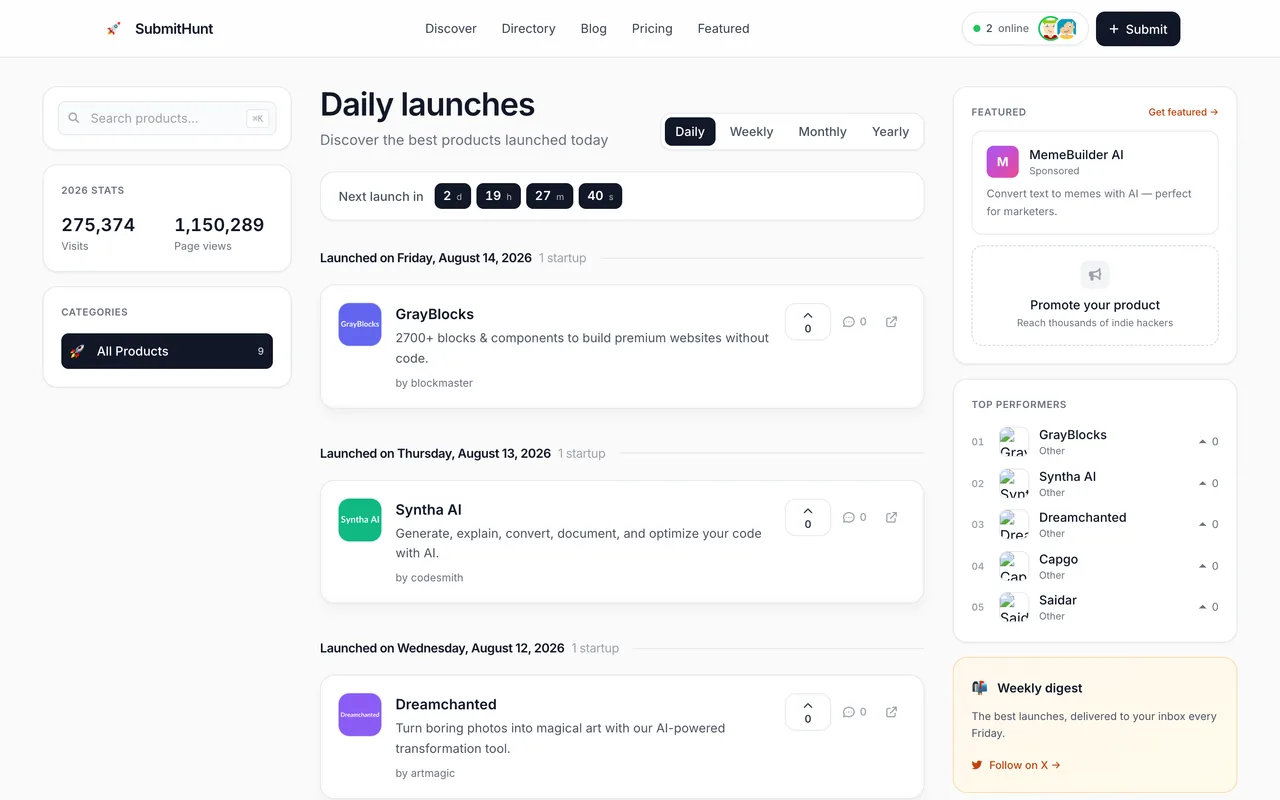
A listing at submithunt.com/startup/<slug> carrying your cover, description and tags, scheduled onto a weekday about nine days out and shown in the daily feed for seven days after it. What it does not carry is a link to you. The Website row is plain text and the Visit Website control beside it is a button with no href, which is true of the free listings already published and stayed true of ours after their own verifier confirmed the badge and answered that the DR 41 dofollow was locked in. The one followed outbound link on a listing points at the maker's X profile, so the X field is the only SEO here.
How to submit to SubmitHunt
- Sign in with Google/submit shows the form only to a session. Continue with Google is the only option and it creates the account on first use. There is no profile page anywhere on the site, so the display name your Google account carries is fixed.
- Step 1 of 2, the productURL, name, tagline capped at 80, slug, description, one category, up to five tags, a logo and a cover. The X username is required and the step will not advance without it. Ignore Prefill with AI unless you want it rewriting every field from your homepage.
- Step 2, pay in upvotesThe free card is marked UNLOCK BELOW and stays locked until you upvote three products, and each Upvote button only enables after you open that product's site. The paid cards need none of it.
- Pick a launch day, and count it yourselfFive weekday slots at six free launches a day. The names on the cards are a day out of step with the dates, and the first one is a Sunday their database will refuse, so read the date in the confirmation dialog rather than the weekday on the card.
- Verify the badge, then schedulePutting their badge up and passing the check is what claims the dofollow they advertise and the gold checkmark on the listing; the alternative is a checkbox that forfeits both. Then confirm on /dashboard that Total listings moved, because the flow reports success either way.
SubmitHunt requirements
Google account
X username, required by the form
Product name, tagline of 80 characters or fewer, slug and description
One category and up to five tags
Square logo and a cover image
Their badge on your site, to claim the advertised dofollow and the gold checkmarkoptional
Payment, for the $20 Premium or $50 Featured lanesoptional
Gotchas
The launch calendar is a day out of step and their own database refuses the first slot. The soonest free date reads Mon 30 on the card while the confirmation dialog for that same click says Sunday, August 30, and scheduling it fails on a Postgres check constraint named startups_launch_date_weekday_check. Nothing appears on screen when it does. Every card is labelled with the day before its date, so the one you want is the card named for the previous weekday.
An X username is required and nothing gets past it. The field carries required, the step refuses to advance while it is empty, and a product with no X account cannot be submitted here at all. A handle borrowed to satisfy it is printed on the listing as the maker.
The dofollow they verify is not a link. Their check answers that your DR 41+ do-follow link is locked in, and the listing then shows your website as plain text next to a Visit Website button carrying no href, so there is no anchor for it to apply to.
The plan step opens with Premium selected at $20 and the button reading Continue to payment. The free lane is the Start with Free card to its left, and choosing it reveals the upvote gate that the paid lanes skip.
Let your agent submit to SubmitHunt
Connect SubmitMap to your AI over MCP and this page stops being something you read and copy. Your agent asks for the SubmitHunt playbook and gets the brief for this exact form, with the values already taken from your submission pack instead of placeholders you fill in by hand.
What it does for this platform
Checks your product against the 4 SubmitHunt rules above, so you find out you would be rejected before you open a tab.
Hands your agent all 7 fields this form asks for, 2 of them optional, already filled from your pack.
Tells you what paying buys here, so you pick it on purpose: free queues for a launch slot about nine days out. Premium is $20 one-time and launches immediately with 14 days on the homepage and a newsletter mention; Featured is $50 for a week at the top of the feed. A 50% off code for either is offered in the confirmation dialog.
Types it into SubmitHunt in your own browser, and stops for you when the form wants a sign-in.
Records what it sent, so the dashboard can answer "did I ever submit to SubmitHunt?".
Connect your agentHow this worksTools and endpointsWorks with Claude Code, Claude, Codex, Cursor, VS Code and Hermes.
SubmitHunt FAQ
How long does SubmitHunt approval take?
SubmitHunt's typical time from submission to going live is 1-2 weeks.
How much does it cost to submit to SubmitHunt?
SubmitHunt has a free submission option plus paid placement (Free queues for a launch slot about nine days out. Premium is $20 one-time and launches immediately with 14 days on the homepage and a newsletter mention; Featured is $50 for a week at the top of the feed. A 50% off code for either is offered in the confirmation dialog.).
Does SubmitHunt give a dofollow backlink?
No, links from SubmitHunt are nofollow. The site has a domain rating of 41.
Does SubmitHunt require a backlink to your site?
No, SubmitHunt does not require a link back from your site.
What gets you rejected from SubmitHunt?
Nothing stated.